Toy Stunt Race provides a safe and engaging driving experience. The auto-acceleration feature lets players focus on steering and stunts. Tracks are varied with ramps and loops that encourage creativity. The game is easy to pick up but offers enough challenge to keep players coming back. It is ideal for children learning coordination and for adults seeking a lighthearted break. Replay value is high due to the fun track designs and simple progression.Game
Reviews
Toy Stunt Race provides a safe and engaging driving experience. The auto-acceleration feature lets players focus on steering and stunts. Tracks are varied with ramps and loops that encourage creativity. The game is easy to pick up but offers enough challenge to keep players coming back. It is ideal for children learning coordination and for adults seeking a lighthearted break. Replay value is high due to the fun track designs and simple progression.
About This Game
Game Introduction
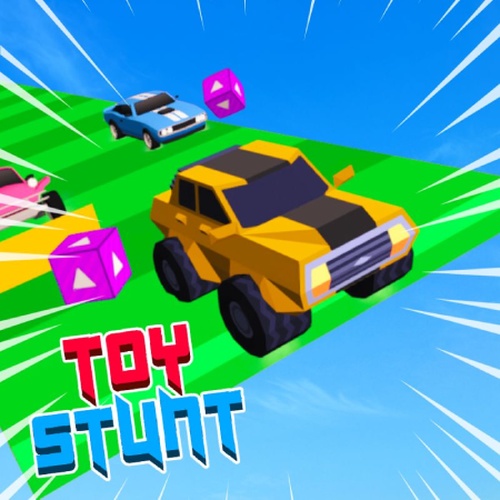
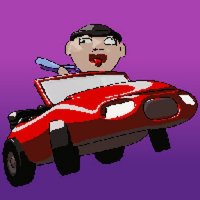
Toy Stunt Race Online Driving Arcade Game is a playful racing experience where players control a small toy car through colorful, imaginative tracks. The game focuses on performing stunts and navigating obstacles in a cheerful, family-friendly setting. With its automatic acceleration system, the emphasis is on steering and executing jumps rather than managing speed, making it accessible to a wide audience. The vibrant graphics and toy-themed environment create a lighthearted atmosphere that appeals to both children and adults.
How to Play
In this arcade racer, the car accelerates on its own, so players can concentrate on steering and stunts. Typically, players use keyboard controls such as the arrow keys or A and D keys to guide the car left and right. The goal is to stay on the track, perform jumps and flips over ramps, and avoid falling off edges. The controls are designed to be responsive and easy to learn, allowing quick mastery for players of all skill levels.
Game Features
Key features include auto-acceleration for simplified gameplay, intuitive arrow key controls, and colorful toy-themed tracks filled with ramps, loops, and obstacles. The game offers a cheerful, family-friendly environment that is safe for all ages. As an online arcade game, it provides quick, accessible sessions ideal for short breaks or extended play. The 3D graphics enhance the visual appeal, making the toy car and tracks feel lively and engaging.
Tips for Success
To succeed in Toy Stunt Race, focus on mastering steering precision to navigate tight corners and obstacles. Practice timing your jumps to land smoothly on ramps and avoid falling off edges. Since the car accelerates automatically, anticipate upcoming track features and adjust your steering accordingly. Regular practice will improve your hand-eye coordination and reflexes, helping you complete tracks more consistently and achieve higher scores.
Compatibility
This H5 game runs smoothly on:
• Desktop computers (Windows / Mac)
• Mobile phones (iPhone / Android)
• Tablets (iPad / Android)
🌐 Best experienced with Chrome, Safari, or Edge






Leave a Review