
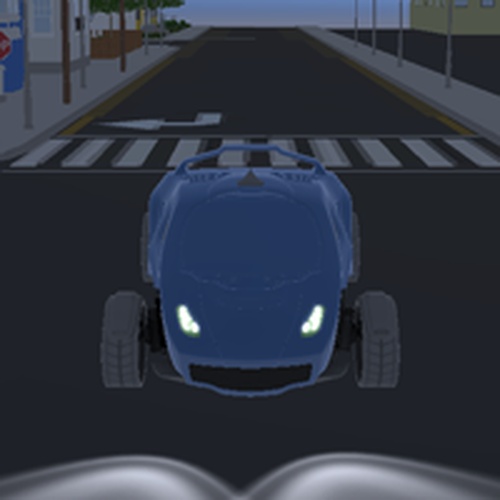
Game Introduction
3D Drive to Point Car Navigator is an online driving experience that focuses on the simple joy of steering a vehicle. You control a car in a three-dimensional world and must navigate to a marked destination on the map. The game offers clear graphics and responsive controls, creating an immersive experience without complex rules. It is designed for players who want a straightforward driving challenge without time pressure or opponents. Whether you have a few minutes or want a longer session, this game provides pure driving fun. Developed by FBK, it is suitable for all ages and skill levels. The core objective is to reach the target point by driving through the environment. There are no enemies, no scoring, and no penalties for taking your time. This makes it an ideal choice for casual players, beginners, or anyone looking for a relaxing activity. The game emphasizes exploration and control rather than speed or competition. You can pause at any moment, allowing for breaks whenever needed. The overall experience is calm and focused on the pleasure of driving itself.
How to Play
To play 3D Drive to Point Car Navigator, you use keyboard controls to drive your car. Typically, the W key accelerates forward, the S key reverses, and the A and D keys steer left and right. Your goal is to drive to the marked destination shown on the map. There are no time limits, so you can explore the environment at your own pace. The controls are intuitive, making it easy for anyone to start playing immediately. You can pause the game at any time by pressing the P key. The objective is simple: navigate from your starting position to the target point. The game does not include obstacles or opponents, so you can focus entirely on driving and route finding.
Game Features
Game features include smooth 3D graphics that create a realistic driving environment. Simple keyboard controls are easy to learn and use. A pause function lets you take breaks whenever needed. There is no time pressure, allowing for a relaxed and enjoyable experience. The game provides a single destination to reach each session, with a clear marker on the map. The environment is designed for exploration, and the controls are responsive to provide a satisfying driving feel. The game is lightweight and runs directly in a web browser, requiring no downloads or installations. It is family-friendly and suitable for players of all ages and experience levels.
Tips for Success
To succeed in 3D Drive to Point Car Navigator, take your time to explore the map and get familiar with the controls. Since there is no time limit, you can practice steering and reversing at your own pace. Use the pause function if you need a break. Focus on smooth driving rather than speed, as the goal is simply to reach the destination. Pay attention to the map marker to plan your route. Experiment with different driving lines to find the most comfortable path. The key is patience and steady control.





Comments
0 comments