
Core Gameplay Loop
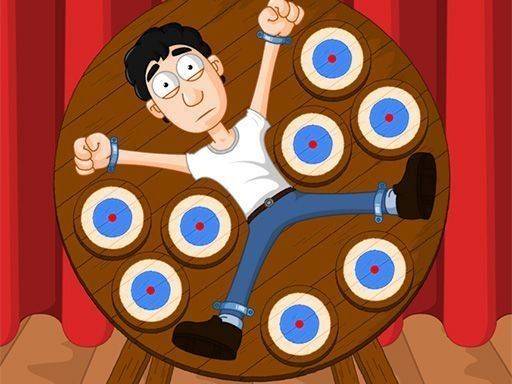
Spin Wheel Throw Challenge centers on a simple but engaging action: players toss objects toward a rotating wheel. The wheel moves continuously, requiring careful observation to release at the right moment. Each throw must land on designated scoring zones to increase the player's total. Missing the target or hitting unintended areas reduces the score. This straightforward loop creates a satisfying rhythm that encourages repeated play.
Visual Style and Atmosphere
The game presents a lively, colorful world with bright backgrounds and cheerful character designs. The wheel itself features distinct colored sections that make scoring zones easy to identify. Animations are smooth and responsive, giving clear feedback on each throw. The overall tone remains upbeat and welcoming, making it a comfortable experience for players of any age.
Precision and Timing Mechanics
Success depends on two key skills: aiming accurately and releasing at the correct moment. The wheel's rotation speed may vary, adding a layer of challenge as players adjust their timing. Hitting the center of scoring areas yields the highest points, rewarding those who master the wheel's rhythm. The game also includes friendly characters on the stage that players must avoid, adding a strategic element to each throw.
Progression and Scoring System
Points accumulate with each successful throw, and the game tracks performance over multiple rounds. Mistakes, such as missing the wheel or hitting unintended targets, deduct from the total. This scoring system encourages players to focus on consistency rather than risky throws. There is no time limit, allowing players to take their time and improve at their own pace.
Accessibility and Family Appeal
Spin Wheel Throw Challenge is designed to be easy to pick up and play. Controls are simple: move a cursor or finger to aim, then tap or click to throw. The game contains no violent or inappropriate content, making it suitable for children and adults alike. Its gentle difficulty curve ensures newcomers can enjoy it while still offering enough depth for experienced players to refine their technique.




Comments
0 comments